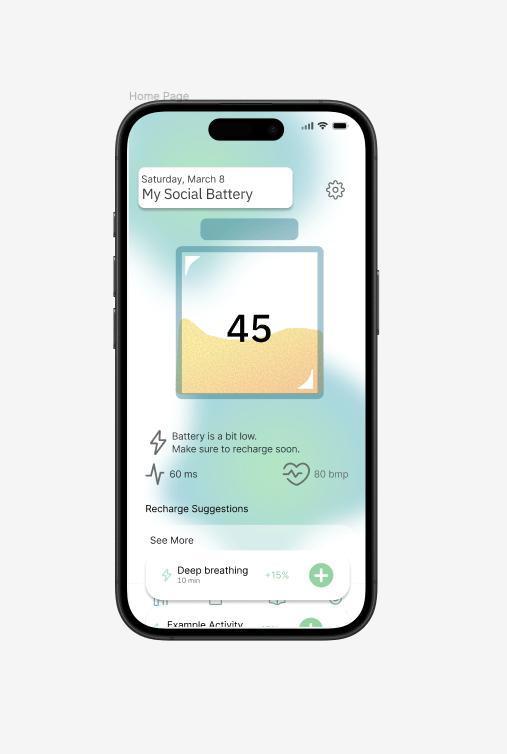
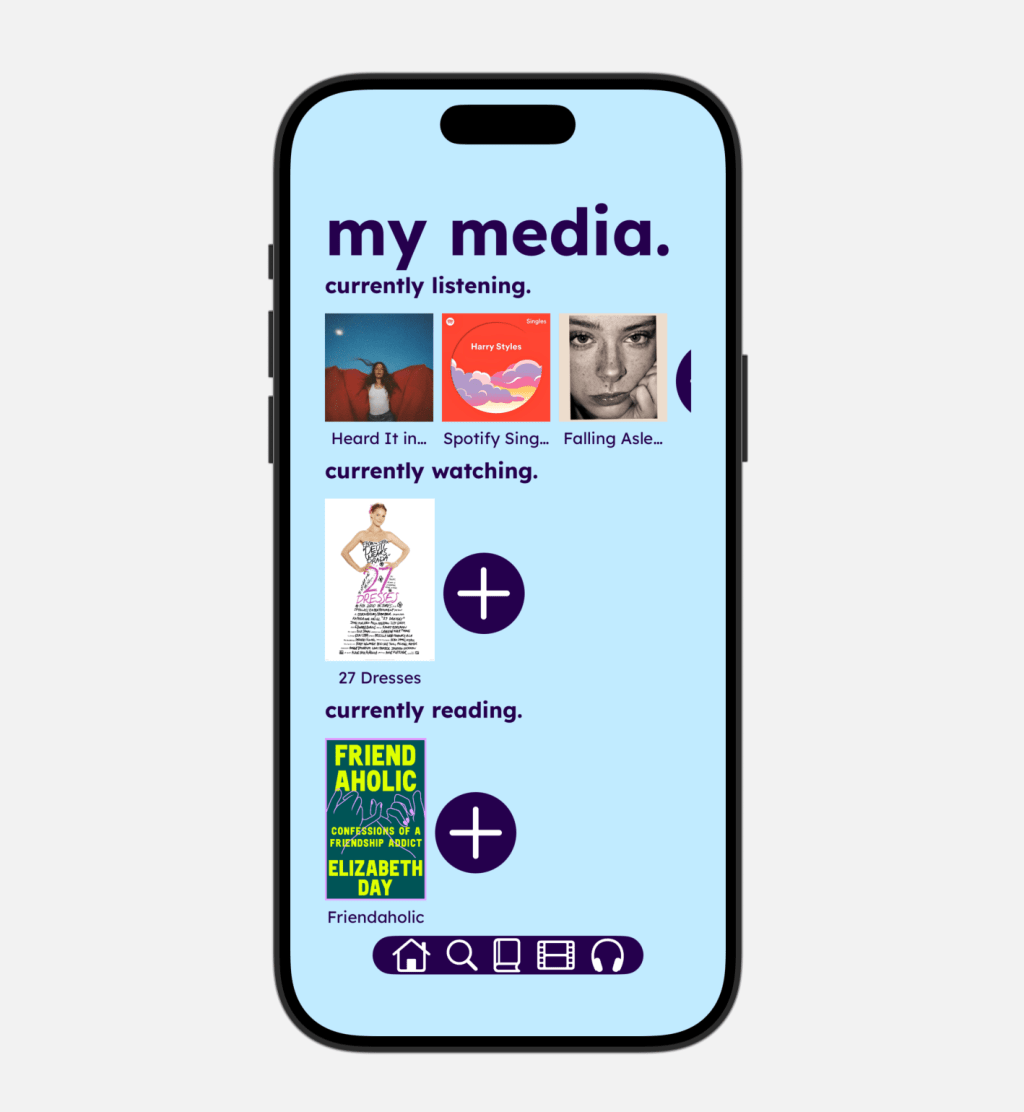
Check out the finished project!
An app designed to track, manage and measure student’s social batteries as they adjust to a new social environment, namely, college.
Project Overview
For this project, my team and I were instructed to create an app that measured a part of the human sensory experience. We weren’t limited to feasibility, only our imagination. The idea of tracking someone’s social battery came about through a conversation with my Dad, where he talked about how sometimes he doesn’t have the energy for social events anymore. I thought about how I too also love socializing with other people, but often need alone time to recharge and have the energy to do it.
My team and I decided to conceptualize this idea as a social battery, something everyone feels, even though we can’t track it yet. Although everyone has a social battery, we wanted our target audience to be college students because the transition to college can be the single biggest social environment switch in a person’s life. We wanted our app to display the user’s and their friend’s social batteries, connecting with their calendars to optimize their social wellbeing.
The Problem
When arriving on campus, first-year students are surrounded by people. From classes, to clubs, to dorms, to even their room, it can be hard to find time alone. Some people thrive in these environments, feeding off the social energy, others (typically introverts) need time to relax alone, in order to feel up to so many interactions. With so many events going on campus, first year students try to jam pack their schedules to find their place and their people. While important, it’s also critical they take the time to take care of themselves and their health, so they can maximize their engagement at these events and in school.
The Solution
Our app gives students a visual representation of how their social battery drains throughout their days. By connecting with their calendar, it also can predict how various events will drain or replenish their battery, so students can properly plan their days that optimize their social health and wellbeing. It also notifies students about when their social battery is up or down, reminding them to choose activities based on their energy levels. Now students can have a robust social life in college, without feeling drained or burnt out.
Ideation and Planning
We started this project by brainstorming the different features we wanted our app to have and how this social battery data would be “collected.” Since most health data can be tracked using an Apple Watch, we decided our app should connect to an Apple Watch as well.
We also brainstormed 3 case studies, or scenarios for our user with this app, and we decided on the following:
- Preparing for a social event (work, hanging out, etc.)
- Recharging after a social event (better mental health, sleep etc)
- Checking out friends’ social battery – snap map
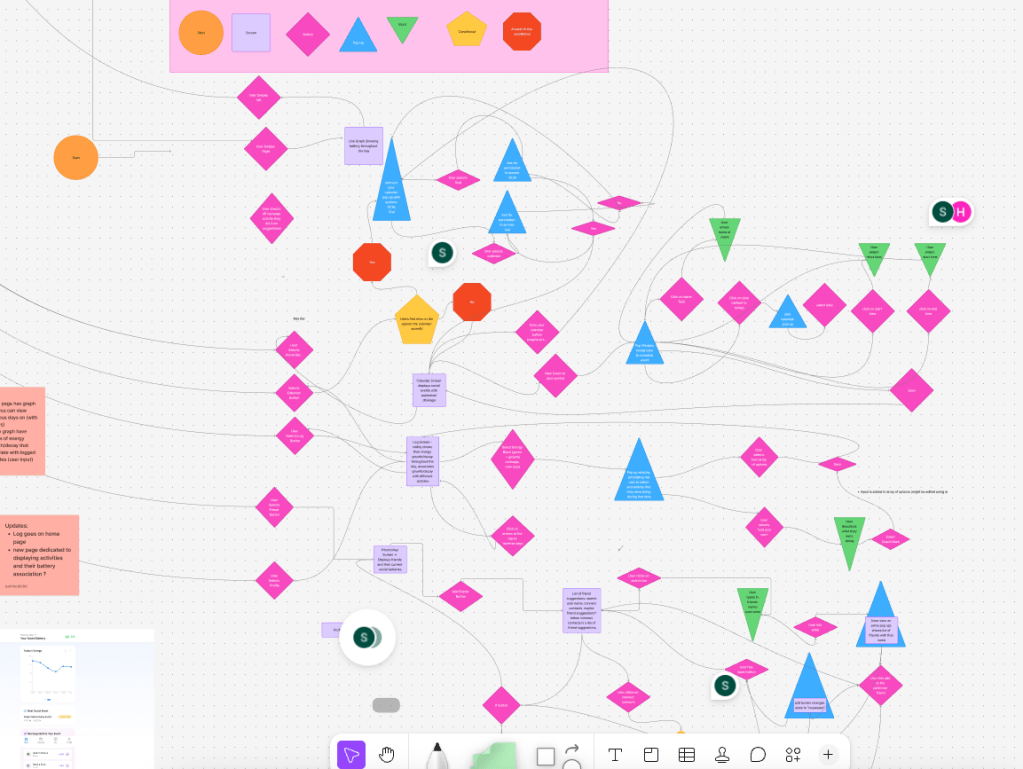
For each case study we made a high level user flow to walk through each scenario.
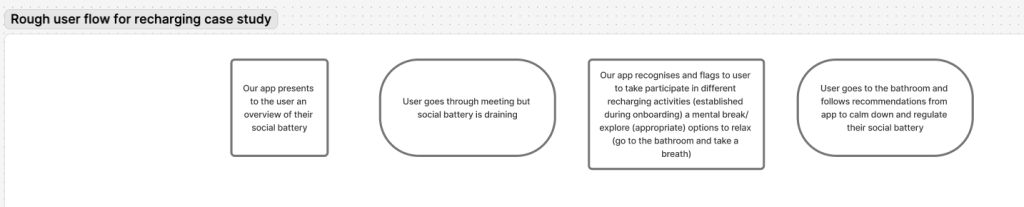
We then organized the features we wanted our app to have into a user flow. We designed the app to have 4 main screens, the home screen, calendar, energy log and profile screen. We also documented the onboarding process for first time users, where the app assesses how different activities drain/recharge their social batteries.
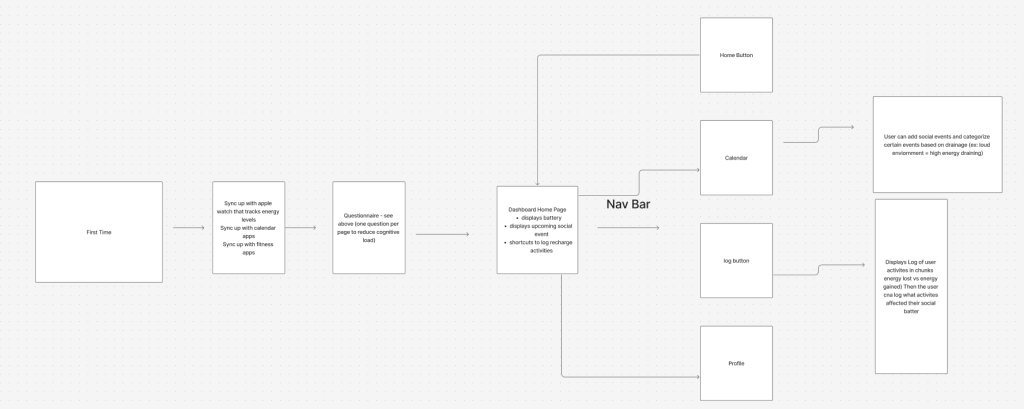
We then created a more extensive user flow, documenting every interaction we wanted our app to have.
Prototyping – Low Fidelity
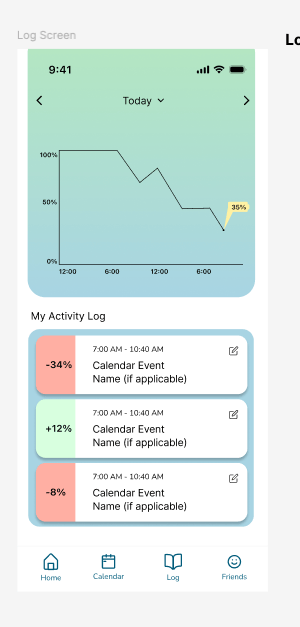
I was responsible for creating the log screen and recharge activity screen. The log screen demonstrated the user’s social battery throughout a given day, and I wanted it to also show the events on the calendar that affected it, so the user can better understand how their daily schedules impact their social battery. Each depletion or increase in social battery is documented on the log screen, and connected to the calendar if applicable. I wanted users to also have the option to write in what they did during that time, so the app has a better idea of how a certain activity impacts their social battery.
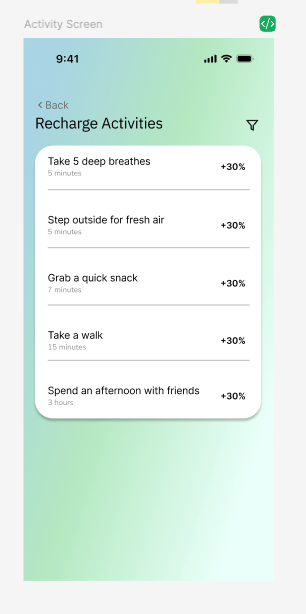
For the recharge screen, I wanted to show a simple list of activities that replenish the user’s social battery, including the amount the recharge.
Branding
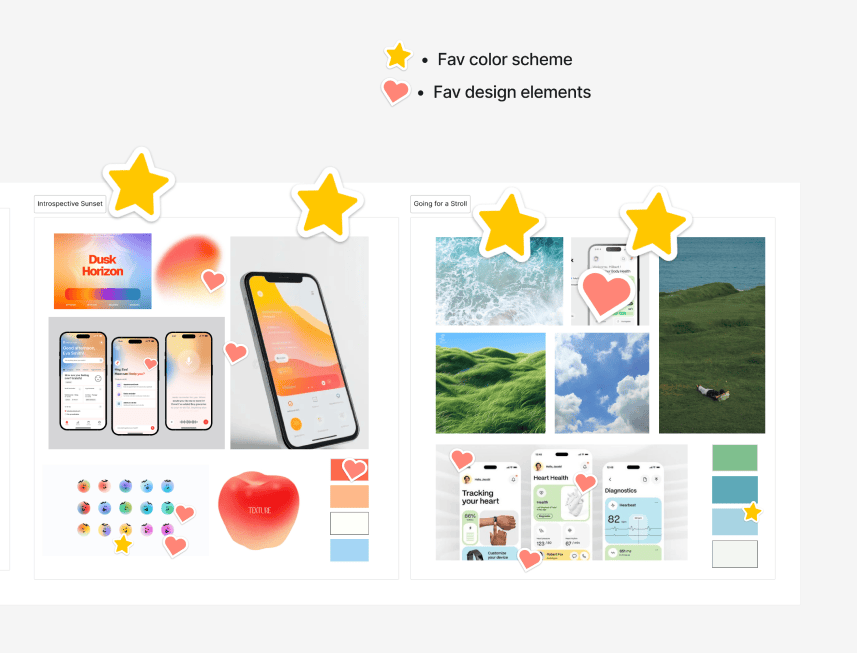
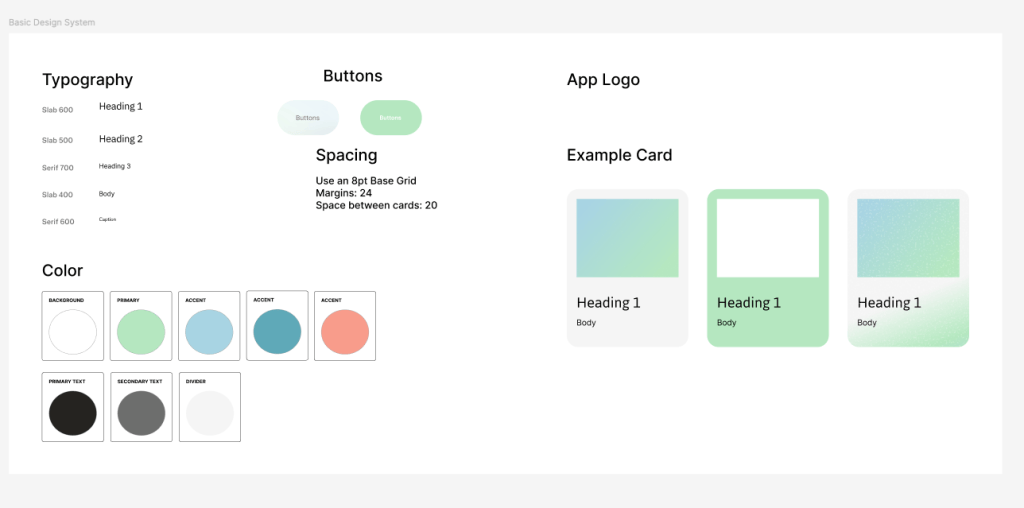
For branding, my teammates pulled together some inspiration and we voted on what aspects of the inspiration we liked, and transformed it into our design system.
Prototyping – High Fidelity
After we completed our low fidelity prototypes, we integrated our design system and put some finishing tweaks on our designs. For the high fidelity prototype of the log screen, I added a pop up, so the user can select or write in what activity they did that affected their social battery.
FigmaMake
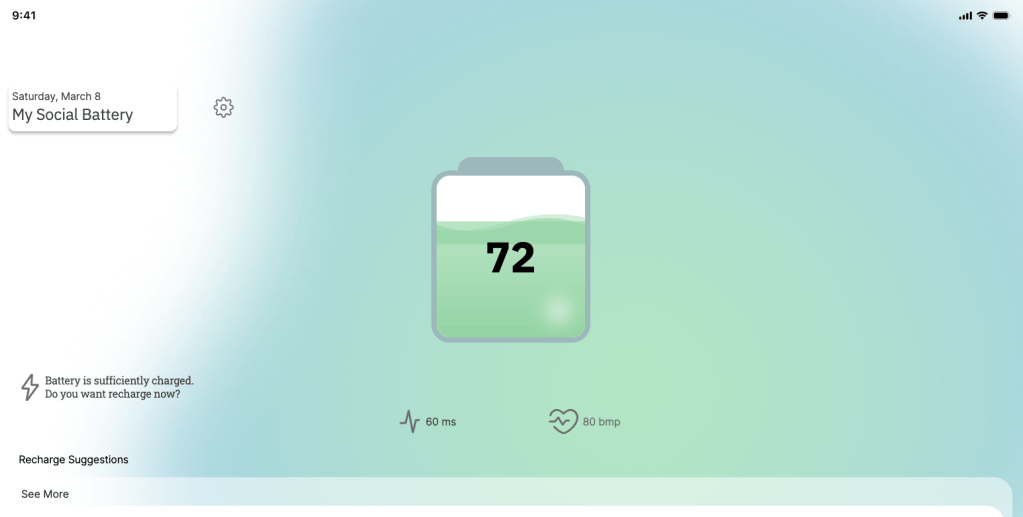
For the Figma Designathon, we were given access to Figma make to implement our design, where we fed our screens into Figma make to simulate and add interactivity to our design. FigmaMake brought our idea to life by giving movement to the juice in the battery on the dashboard, contributing to the calming experience we were going for. I learned that with Figma Make, it’s important you give it the most completed designs possible and use it to add functionality to them, rather than use it to create your designs for you. This way you have total control over your product and vision for it.
Conclusion
This project taught me a lot about teamwork, and communication. Since half of our team was online, we had to communicate through calls, texts and Figma comments, and I had to make sure I was holding myself accountable. Since we had to build this project in just three days, we sprinted to get as much done as possible and I’m very proud of our finished product.